Sabtu, 28 April 2012

CRITA LUCU ORANG MANADO

KACA MATA
Tanta Ola so rasa stress, lantaran, dia kalu lia orang so sadiki babayang. Lantaran dia pikir depe mata so rusak, dia pigi di toko kaca mata.Pelayan : Siang tante, ada yang boleh kita bantu ?
Tanta Ola : Kita pe mata so rusak ini noh...cari akang kacamata yang pas dang ?
Pelayan : Tante so pernah pake kacamata ?
Tanta Ola : Ohh.......blum........
Pelayan : kalu bagitu torang priksa dulu tante pe mata. Mari tante, torang ke tampa priksa.
Pelayan : Tante, ini huruf apa ? (sambil tunjung tu huruf yang sadiki basar)
Tanta Ola : Nyanda jelas noh...
Pelayan : Kalu huruf ini dang ? (Sambil tunjung tu huruf yang lebeh basar)
Tanta Ola : Masih nyanda jelas noh....
Pelayan : Ini komaling tanta huruf yang paling besar yang ada disini.
Sekarang tanta bilang, ini huruf apa ? (sambil tunjung huruf yang depe basar rupa piring )
Tanta Ola : Sama noh...masih nyanda jelas
Pelayan : (sambil garo-garo kapala lantaran bingo)
Kiapa dari tadi nyanda jelas dang tanta ?
Tanta Ola : Kita kwa nintau babaca, ngana kase tunjung huruf. Mana kita mo tau ?

Happy Weekend
Kamis, 26 April 2012

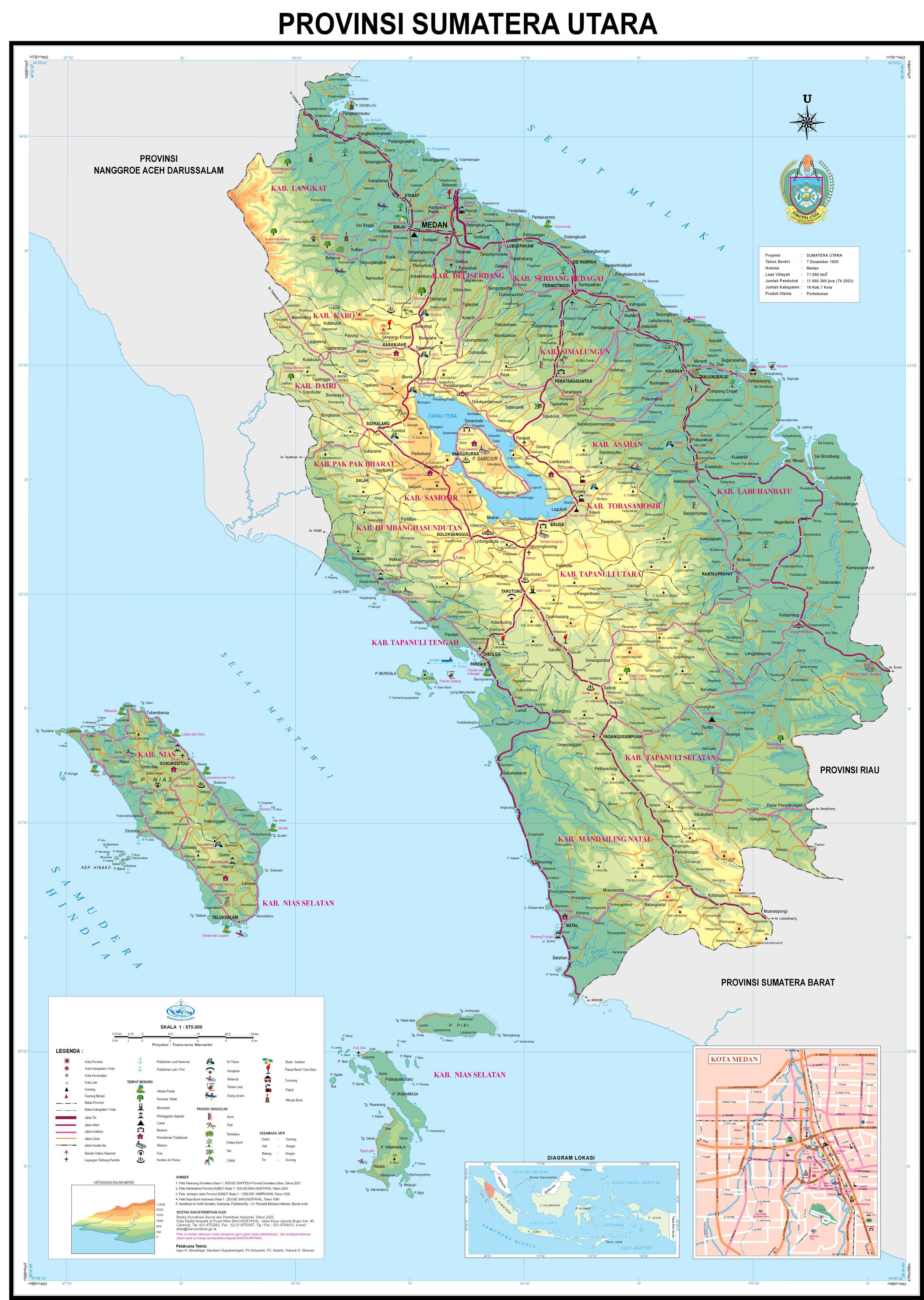
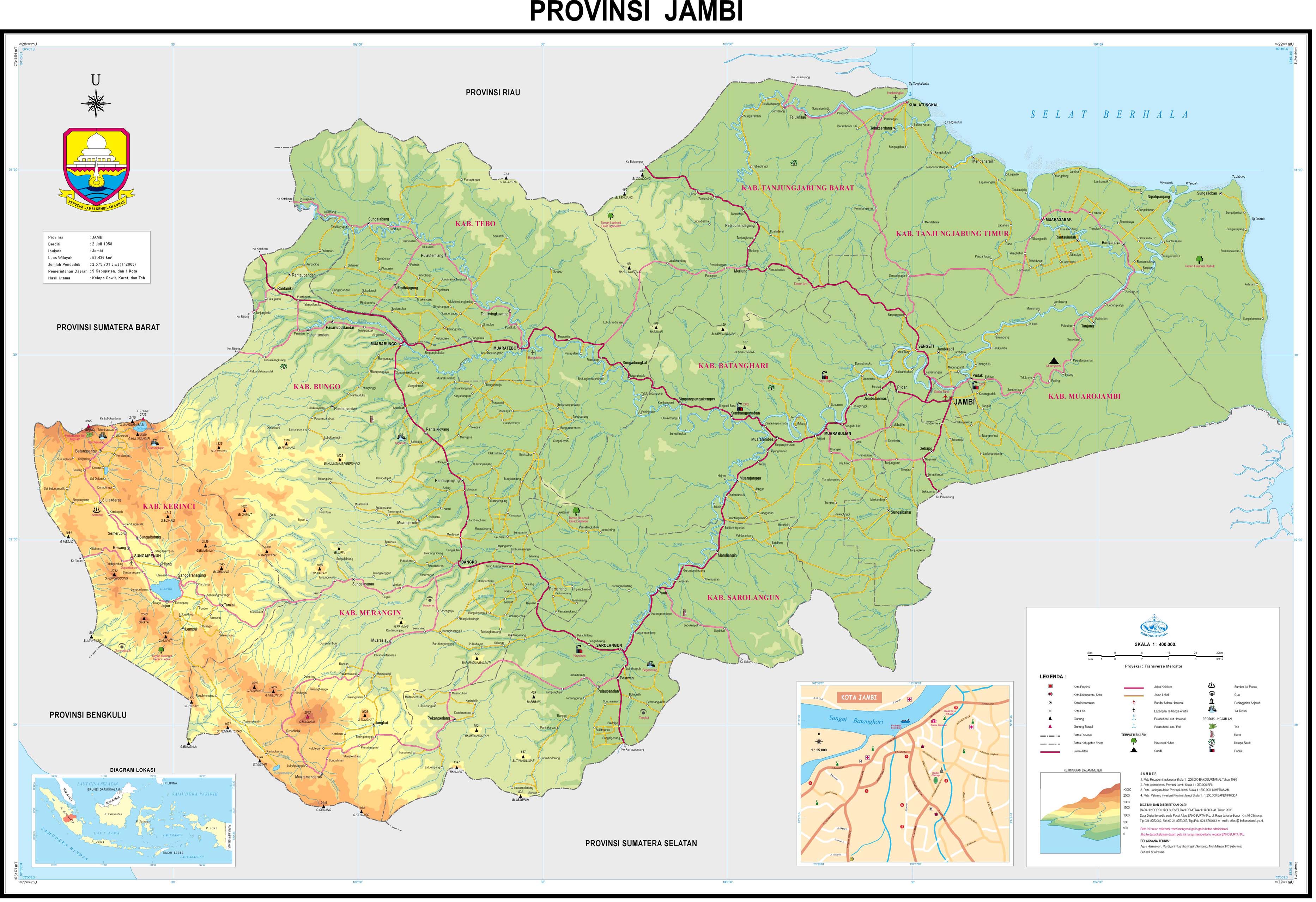
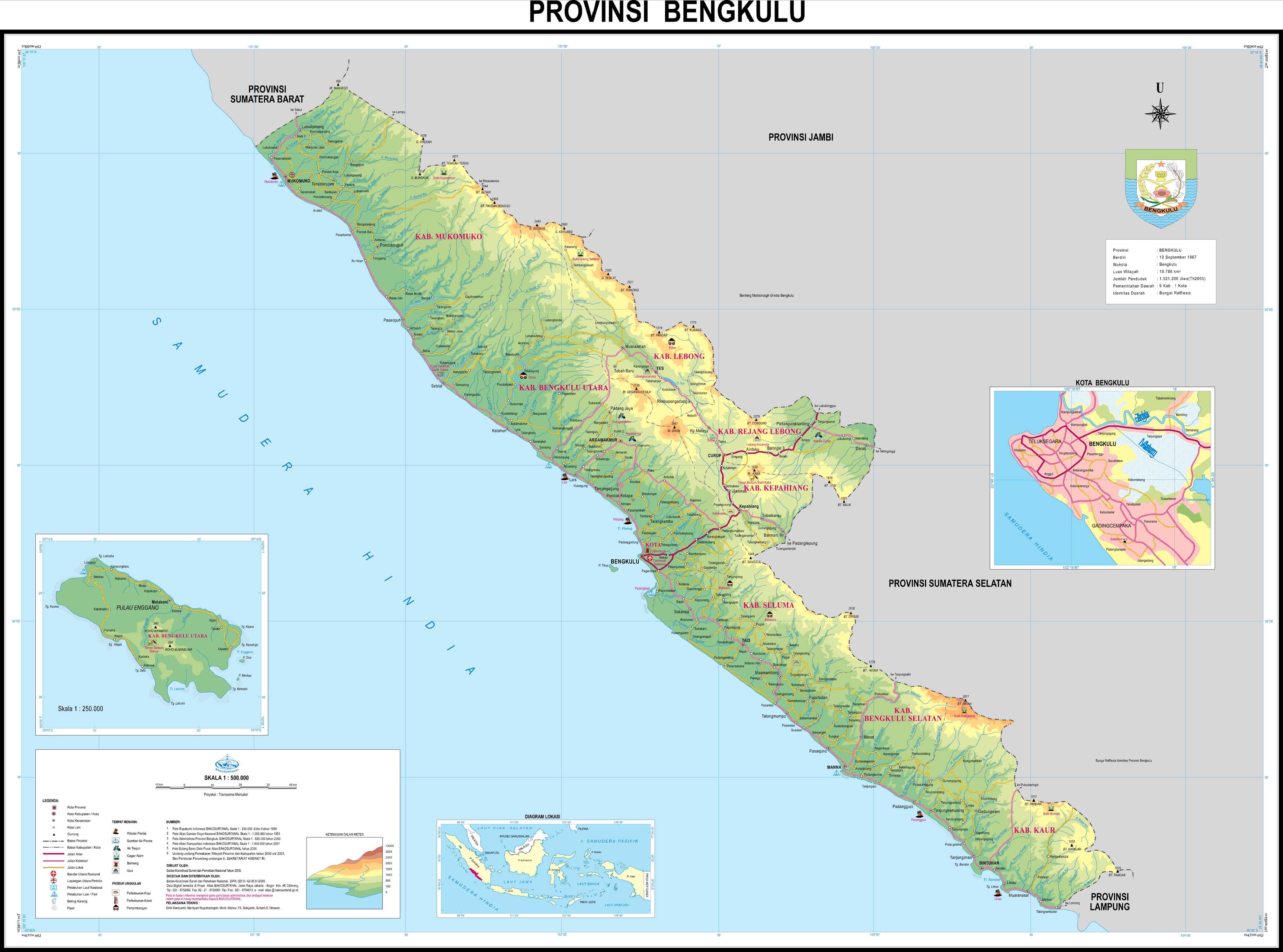
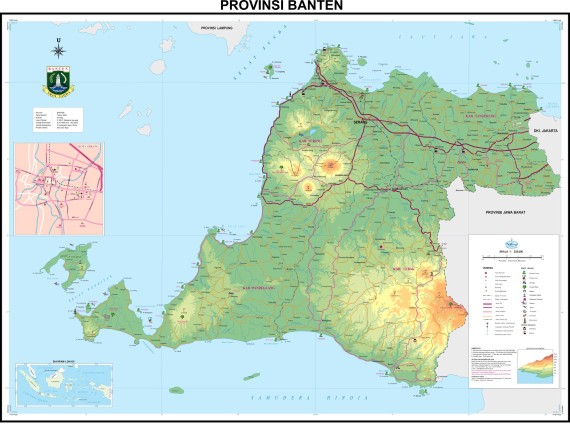
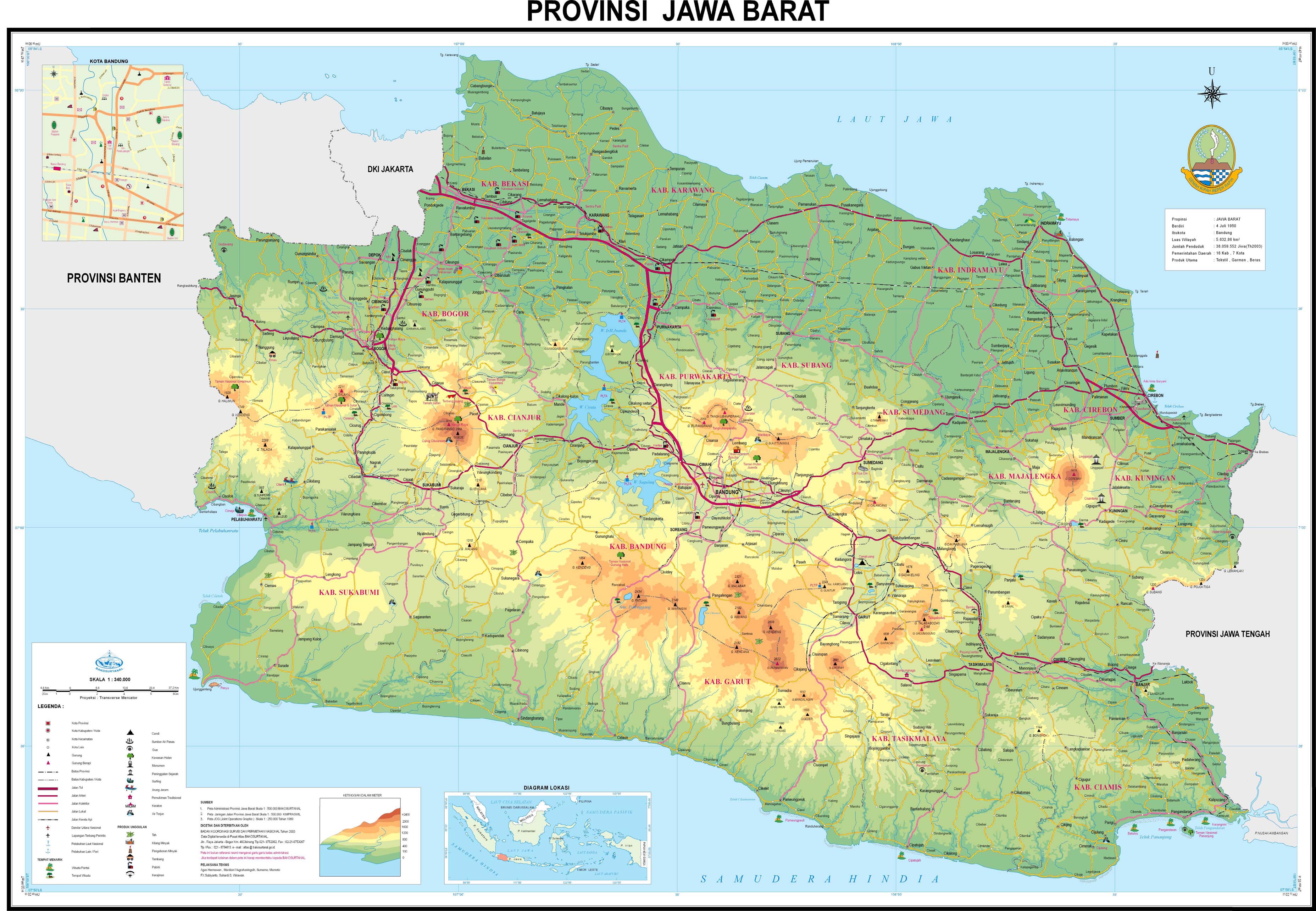
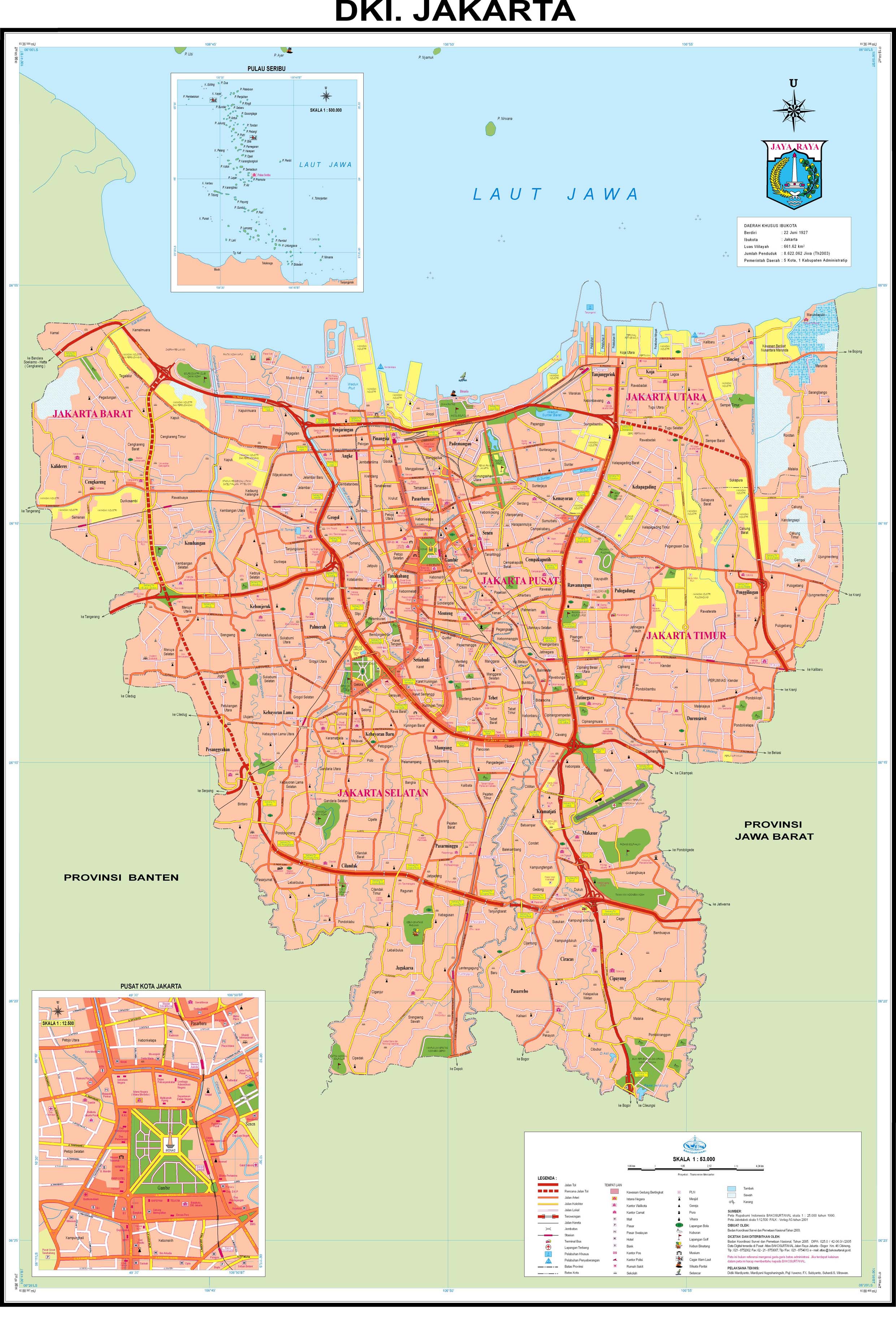
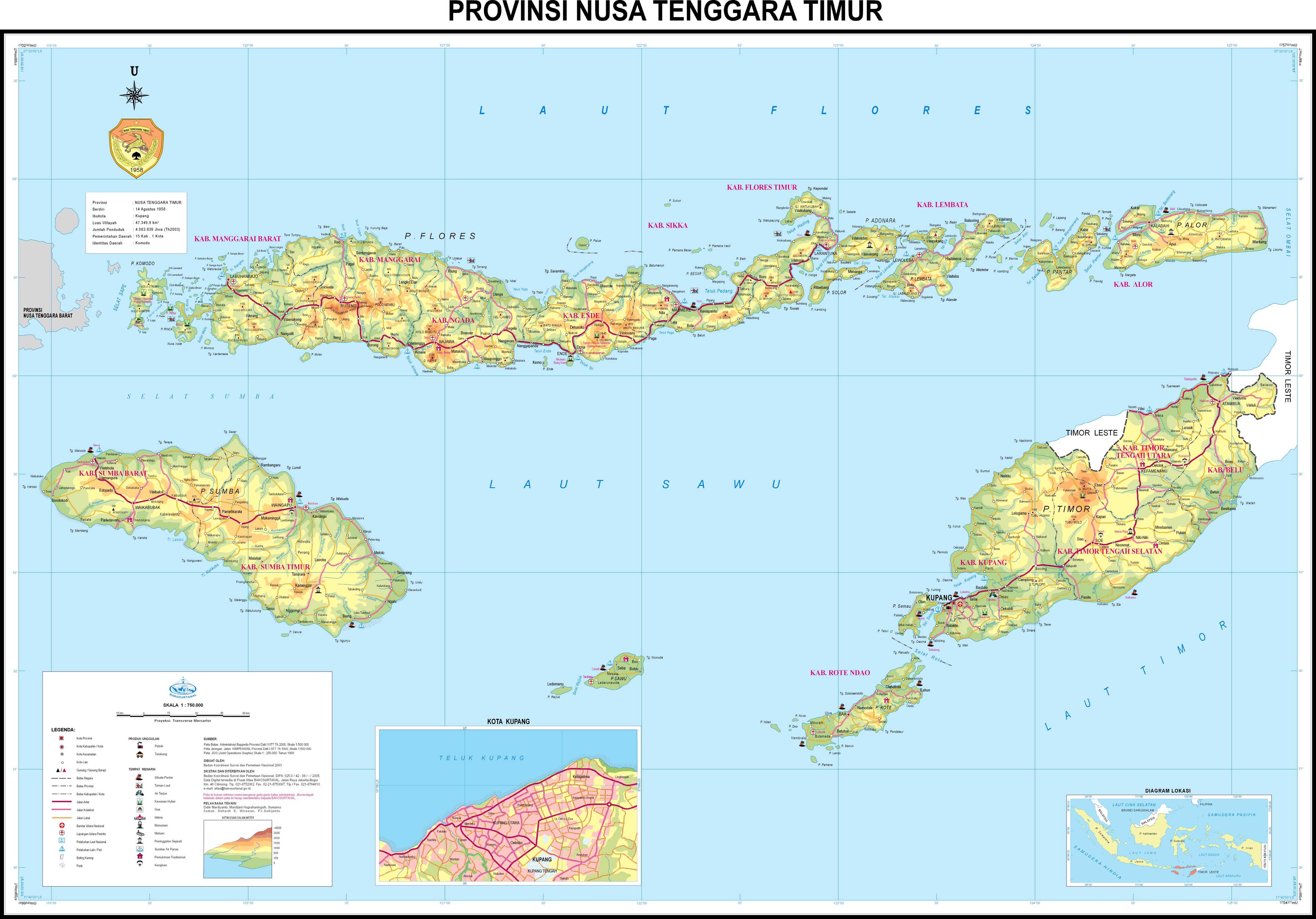
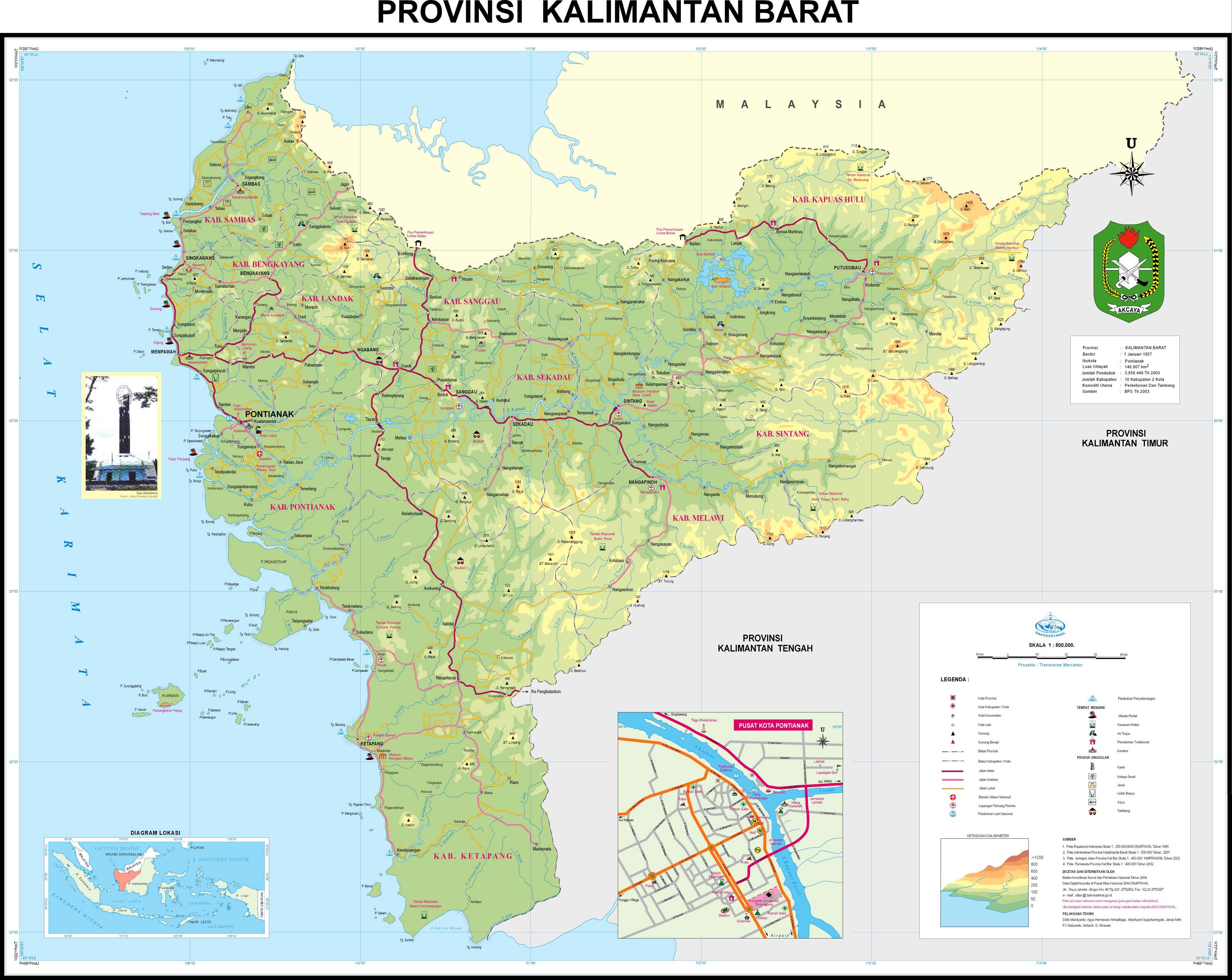
Peta 33 Provinsi Indonesia Terbaru (1/2)

Saya mencoba membantu anda yang kesulitan mendapatkan atau mendownload peta dari berbagai daerah di Indonesia. Peta adalah salah satu topik yang banyak di cari di dunia internet, hampir dari kita semua membutuhkan peta, lebih-lebih jika kita akan bepergian ke suatu daerah yang belum kita kenali.

Bakosurtanal (Badan Koordinasi Survei dan Pemetaan Nasional) menyediakan peta 33 provinsi di Indonesia yang bisa diunduh secara gratis melalui situsnya. Peta-peta yang terdapat pada situs ini beresolusi tinggi mulai dari 1869 x 2223 pixel sampai 5266 x 3808 pixel sehingga anda bisa memperbesar tanpa menyebabkan gambar menjadi pecah. Jika anda berminat mengunduh peta-peta tersebut, anda bisa mendapatkannya secara gratis disini. Untuk mendapatkan peta-peta ini, anda tinggal klik kanan salah satu nama provinsi dibawah ini dan pilih gambar petanya, kemudian Save Image As ke harddisk komputer anda. Tinggal di cetak ke printer warna, jadilah sudah peta provinsi yang berwarna dan gratis ! he..he..

I. PROVINSI-PROVINSI KAWASAN BARAT INDONESIA

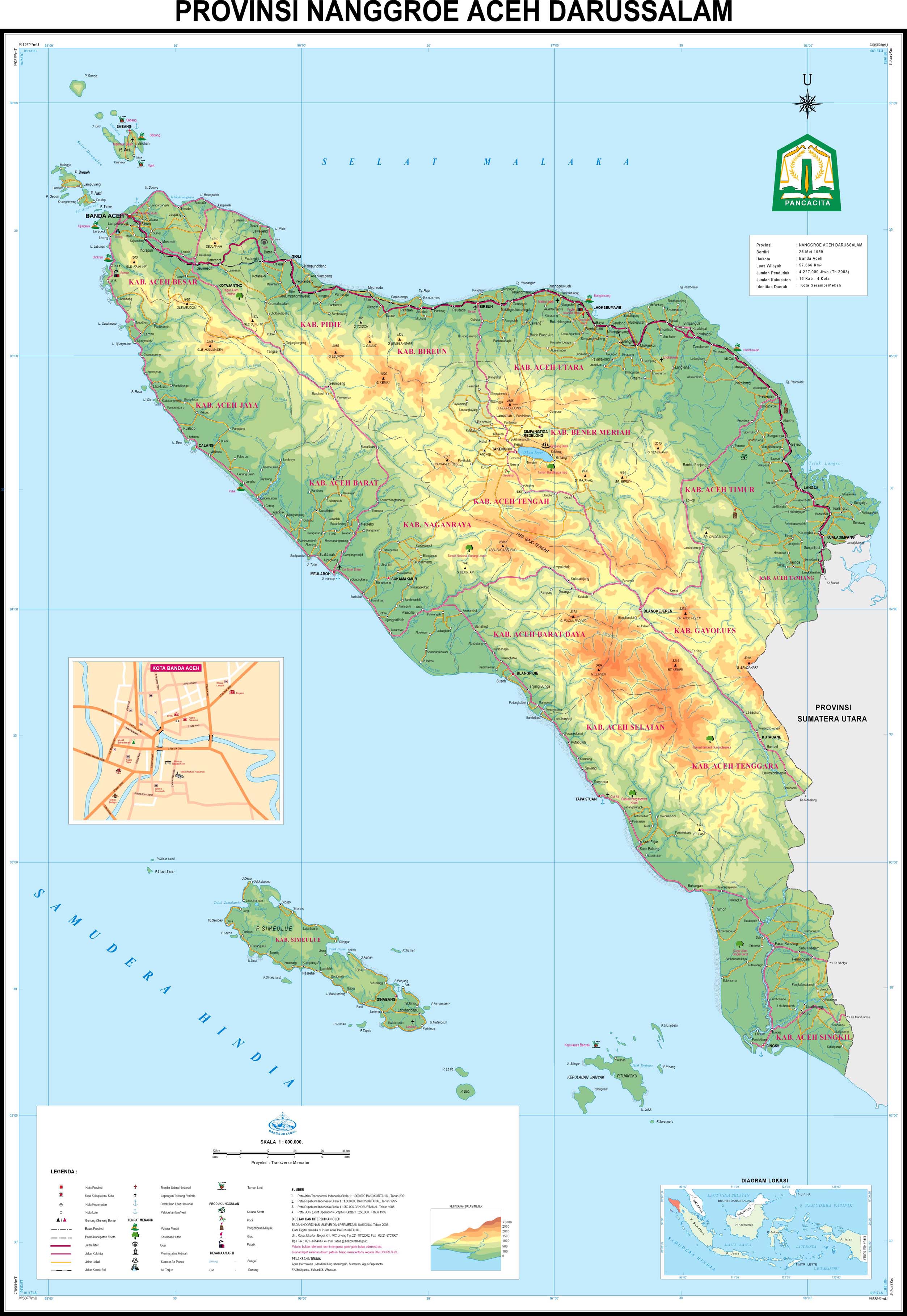
01. Peta Provinsi Aceh


02. Peta Provinsi Sumatera Utara


03. Peta Provinsi Sumatera Barat


04. Peta Provinsi Riau


05. Peta Provinsi Kepulauan Riau


06. Peta Provinsi Jambi


07. Peta Provinsi Bengkulu


08. Peta Provinsi Sumatera Selatan


09. Peta Provinsi Bangka Belitung


10. Peta Provinsi Lampung


11. Peta Provinsi Banten


12. Peta Provinsi Jawa Barat


13. Peta Provinsi DKI Jakarta


14. Peta Provinsi Jawa Tengah


15. Peta Provinsi DI Yogyakarta


16. Peta Provinsi Jawa Timur


II. PROVINSI-PROVINSI KAWASAN TIMUR INDONESIA

17. Peta Provinsi Bali


18. Peta Provinsi NTB


19. Peta Provinsi NTT


20. Peta Provinsi Kalimantan Barat


21. Peta Provinsi Kalimantan Tengah


22. Peta Provinsi Kalimantan Timur


23. Peta Provinsi Kalimantan Selatan


24. Peta Provinsi Sulawesi Utara


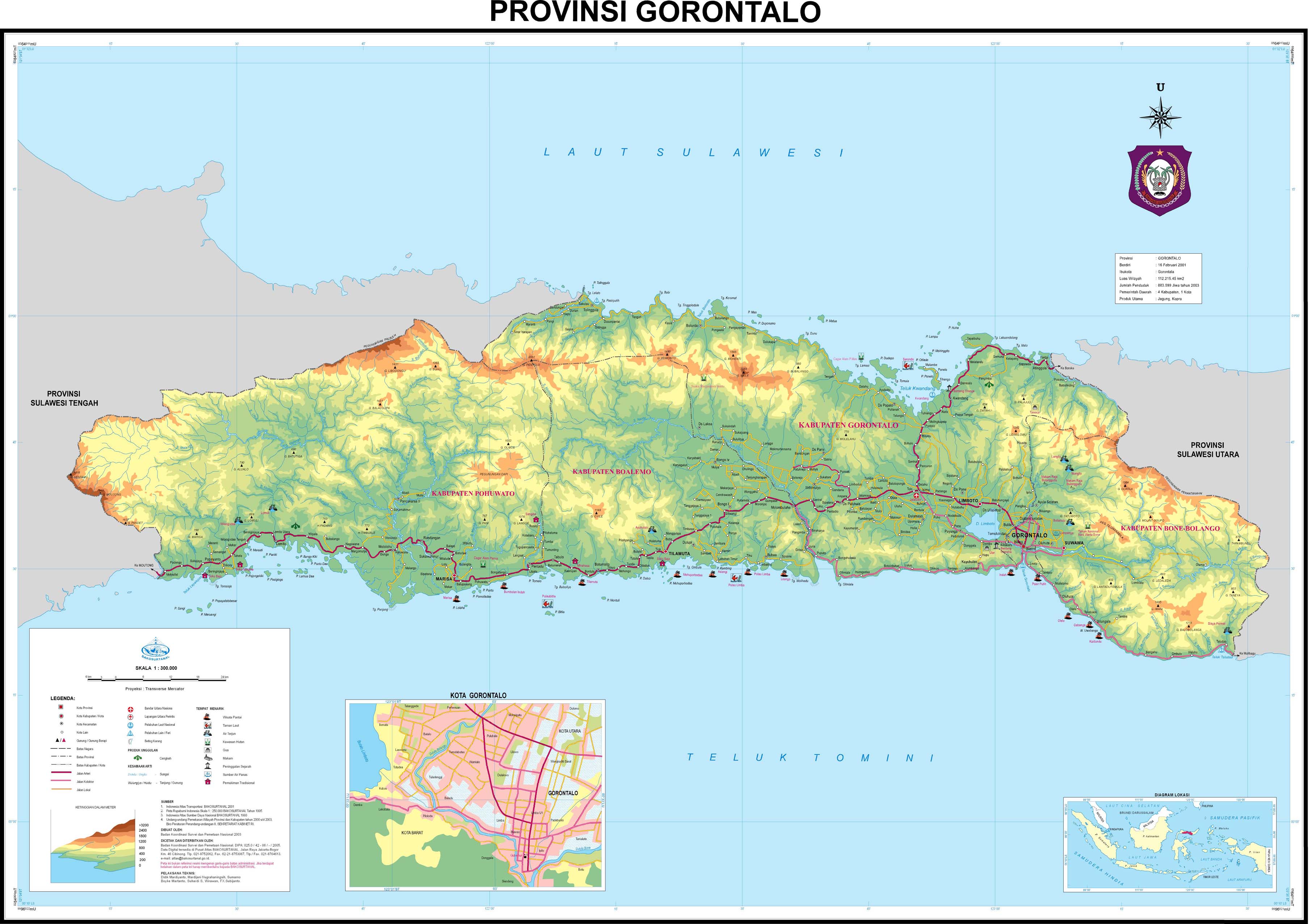
25. Peta Provinsi Gorontalo


26. Peta Provinsi Sulawesi Tengah


27. Peta Provinsi Sulawesi Tenggara


28. Peta Provinsi Sulawesi Selatan


29. Peta Provinsi Sulawesi Barat


30. Peta Provinsi Maluku


31. Peta Provinsi Maluku Utara


32. Peta Provinsi Papua Barat (Irian Jaya Barat)


33. Peta Provinsi Papua (Irian Jaya)


34. Peta Provinsi Irian Jaya Tengah (Rencana awal)


Catatan:

Berdasarkan UU No.45/1999 Jo. UU No.5/2000 Jo. UU No. 22/2002 Jo.INPRES No.1/2003 => Provinsi Irian Jaya (Lama) akan dimekarkan menjadi 3 (tiga) Provinsi baru, yaitu : Provinsi Irian Jaya Barat (Ibukota: Manokwari), Irian Jaya Tengah (Ibukota: Timika) dan Irian Jaya Timur (Ibukota: Jayapura), namun karena mendapat pertentangan dari sebagian warga Papua (Irian Jaya), maka pembentukan Provinsi Irian Jaya Tengah dibatalkan.


sumber:
http://www.bakosurtanal.go.id/bakosurtanal/peta-provinsi
http://www.papuaweb.org/goi/pp/index.html

Adobe Photoshop CS6 13.0 Extended


Adobe® Photoshop® CS6 Extended software delivers even more imaging magic, new creative options, and the Adobe Mercury Graphics Engine for blazingly fast performance. Retouch with greater precision, and intuitively create 3D graphics, 2D designs, and movies using new and reimagined tools and workflows.

Enhance your creativity and boost your productivity. Adobe® Photoshop® CS6 Extended softwaredelivers blazingly fast performance with the new Adobe Mercury Graphics Engine, groundbreaking new Content-Aware tools, simplified 3D artwork creation, reengineered design tools, and more.

Content-Aware Patch
Patch images with greater control using Content-Aware Patch, which allows you to choose the area that Content-Aware will use to create your patch.

Mercury Graphics Engine
See near-instant results when you're editing images with key tools such as Liquify and Puppet Warp, creating 3D artwork, and working with matte paintings and other large files.

3D performance boost
Experience enhanced performance throughout your 3D workflows. View shadows and reflections in all editing modes, quickly render final work in Adobe RayTrace mode thanks to the Mercury Graphics Engine, and much more.

3D controls at your fingertips
Use a vastly simplified user interface to intuitively create and animate 3D artwork. Use in-context and on-canvas controls to manipulate cages for 3D extrusions, change the orientation of scenes and objects, edit lights, and more.

New and reengineered design tools
Create superior designs faster. Get consistent formatting with type styles, use vector layers to applystrokes and add gradients to vector objects, easily create custom strokes and dashed lines, quickly search layers, and more.

New Blur Gallery
Quickly create photographic blur effects using a simple new interface with on-image controls. Create tilt-shift effects, blur everything and then sharpen one focal point, or vary the blurriness between multiple focal points. The Mercury Graphics Engine delivers immediate results.

All-new Crop tool
Crop images faster and with greater precision using the all-new, nondestructive Crop tool. Manipulate your images on canvas, and take advantage of the Mercury Graphics Engine to see your adjustments happen live.

Modern user interface
Work with a fresh, elegant interface featuring dark background options that make your images pop, and benefit from hundreds of design touches that create a smoother, more consistent editing experience.

New reflections and draggable shadows
Quickly achieve 3D realism by adding and enhancing shadows and reflections on your ground plane. Drag a shadow to reposition the light source, and easily edit ground reflections, shadows, and other effects.

Intuitive video creation
Bring Photoshop image editing power to your videos. Easily enhance any clip using the full range of familiar Photoshop editing tools, and combine clips and stills with transitions, audio, and effects such as pan and zoom.

Background Save
Keep on working even while saving the largest of Photoshop files in the background — a performance improvement that can help your productivity soar. 

Auto-recovery
Let the auto-recovery option work behind the scenes to save your edits without interrupting your progress. A copy of your work is saved every 10 minutes and recovered in the event of an unexpected shutdown.

Easy alignment and distribution of 3D objects
Create rich 3D scenes in less time now that you can automatically align 3D objects to the vanishing point in your image and manipulate a group of 3D objects at one time using a new multiselect option.


DepositFiles
LetitBit

DocumentsRescue Pro (6.6) 6.4 Build 923


Office DocumentsRescue Professional recover lost data from Hard Drives,CompactFlash cards (type I/II), IBM Microdrives, SmartMedia cards, MultiMedia cards (MMCs), Secure Digital (SD) cards, Memory Sticks, CD/DVD disks, and any other storage device with the addition of wide range file format support: DOC, XLS, PPT, RTF, LIT, etc.

DocumentsRescue Pro is an effective document recovery tool for Microsoft Word, Excel, PowerPoint, Project, Publisher, Visio and many other popular document formats. DocumentsRescue Pro can recover documents lost due to computer crashes, accidental deletion - even if the Recycle Bin has been emptied, formatting of a disk drive, and when a document has never been saved! Easy to use for novice users, as well as a feature rich advanced mode for the skilled technician users. DocumentsRescue Pro is not just 'undelete' tool it can easily, quickly and absolutely reliably reconstruct the lost document files that undelete programs can never recover.

Program features:
  • Recovers deleted and corrupted files
  • Recovers data from formatted media
  • Recovers data from corrupted media
  • Supports all popular formats of document files *
  • Supports all formats of media used by digital devices
  • Works with all digital devices and card readers
  • Easy to use, intuitive wizard-driven interface
  • Supports Windows® NT/2000/XP/2003/Vista


VSO CopyTo 5.1.0.2


Burning suite: burn CDs, DVDs, and Blu-ray disks:
Burn any content to CD/DVD/ISO/Blu-ray
For beginners and advanced users
Light alternative burning softwareCovers all your burning needs:
Easy to use, burn with a simple right click
Burn audio / video / data / iso files
Compatible with all drives and disks
Burn DVD video and Blu-ray video to play on any home player
Copy disk to disk
Integrated in Windows Shell
Light burning alternative to heavy intrusive burning suitesIntuitive and idiotproof software:
A smart project analyzer suggests the best output format
Easy file selection: see which files have been added and how much space is left on disk.
Hints and tips guide you for a 100% successful burn
Depending on the contents of the project, a mini media player is added to the disk for easy playback
Integrated voice notifications let you know what is happening
Customizable interface with quick acces buttons with your favorites tasks


Burn your audio:
Create mp3 cd or any mp3 disk
- Automatic mp3 conversion from any audio or video format, extracts audio from any file: web video clips, live concerts, ect.
Burn audio cd, ultra compatible with many devices
Make your own playlists
Convert videos to mp3 filesCreate ISO:
Create disk images
ISO and BIN/CUE supported
Virtual drives supported like daemon tools
Create and modify ISO files (Perfect ISO patcher)Multi-session support:
Create multi-session disks
Multi session disk wizard: manage content easily
Interface displays existing sessions already burnt on the disk
Customize multisession rules with your preferencesLatest technology:
Award winning burning engine
Plan and schedule your customized or regular backups
Control burn speed, burn to dvd all you want safely
Supports Unicode/ISO/Joliet/UDF 2.5 (unicode) file systems
Burn multiple copies at the same time
Scan disk after successful burnmore info @http://www.vso-software.fr/products/copyto/copy-to.php